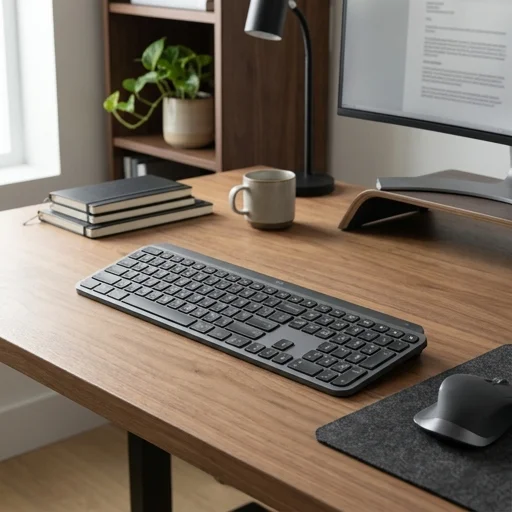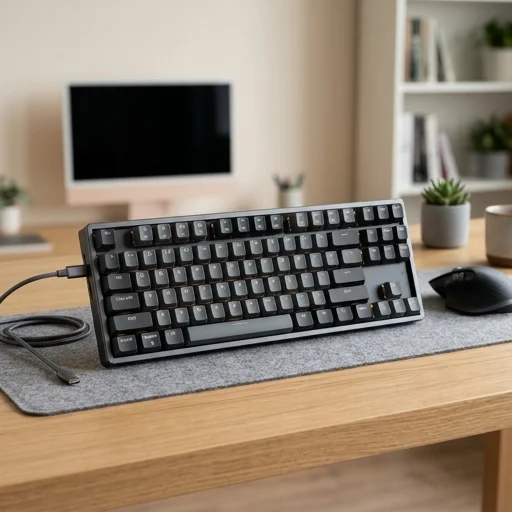
Apple Magic Keyboard
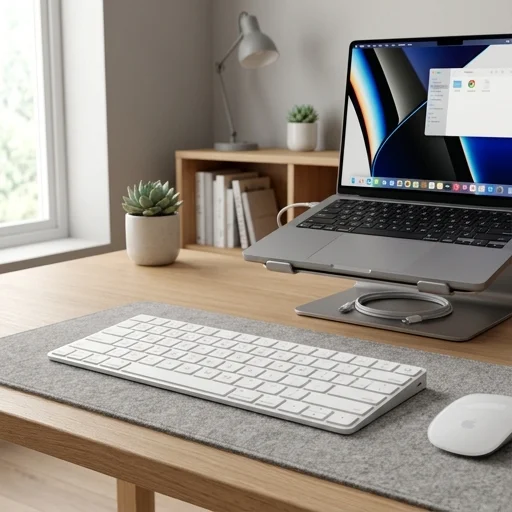
Key features
- Scissor mechanism keys for comfortable typing
- Rechargeable built-in battery with Lightning port
- Bluetooth wireless connectivity with auto-pairing
- Compact layout with inverted-T arrow keys
- Available with numeric keypad option
- Compatible with Mac, iPad, and iPhone
Specifications
Pros
- ✓ Excellent key travel and tactile feedback
- ✓ Long battery life lasting about a month per charge
- ✓ Seamless pairing with Apple ecosystem devices
- ✓ Sleek, lightweight aluminum design fits any desk
- ✓ Stable low-profile typing angle without a stand
Cons
- ✕ No backlighting for low-light use
- ✕ Uses Lightning cable instead of USB-C
- ✕ Function row lacks dedicated escape key on some models
- ✕ Relatively expensive compared to third-party keyboards
- ✕ No wrist rest included for ergonomic support
In-Depth Review
The Apple Magic Keyboard has become a quiet cornerstone of the modern home office, offering a typing experience that feels both refined and effortless. Its low-profile scissor mechanism delivers a stable, responsive keystroke that echoes the feel of a laptop keyboard but with a more comfortable, consistent travel distance. Crafted from anodized aluminum with a matching color palette to Apple's other desktop peripherals, it sits seamlessly alongside an iMac, Mac mini, or MacBook connected to an external display, reinforcing the clean, minimalist aesthetic that so many home workspaces strive for. The keys are quiet enough for early morning emails or late-night video calls without disturbing family members in nearby rooms, making it a practical choice for shared living spaces turned makeshift offices. Functionality is where this keyboard truly earns its keep in a productivity-focused setup. It connects via Bluetooth with near-instant pairing to Mac computers, iPads, and even iPhones, allowing remote workers to switch between devices without fumbling for cables or adapters. The built-in rechargeable battery lasts about a month on a single charge under typical daily use, and a simple Lightning cable tops it off when needed, eliminating the clutter of disposable batteries. For those who split their time between spreadsheets, document editing, and design software, the full-size arrow keys and numeric layout—available in the extended version—add genuine efficiency, reducing reliance on a mouse for navigation-heavy tasks. Beyond raw functionality, the Magic Keyboard contributes to the overall ergonomics and tidiness of a home office. Its slim design and stable rubber feet keep it firmly in place on a desk while allowing it to tuck away easily when the workspace needs to convert back into a dining table or family area at the end of the day. The keyboard's compatibility with macOS shortcuts, dictation, and Siri commands streamlines daily workflows, while its understated design ensures it never competes visually with other desk accessories like monitor stands, desk lamps, or cable organizers. For anyone building a dedicated Apple-centric home office, this keyboard represents a small but meaningful investment in comfort, consistency, and long-term reliability.
Customer reviews
Pairs instantly with my Mac mini and the typing feel is fantastic. Battery lasts weeks, and it looks great on my desk.
Typing experience is superb and connection is rock solid, but I do miss backlit keys when working at night.
Been using it for six months in my home office. Reliable Bluetooth, comfortable keys, just wish it charged via USB-C.
Exactly what I wanted for a clean desk setup. Lightweight, quiet keys, and battery life is genuinely excellent.