ASUS ProArt Display PA279CV
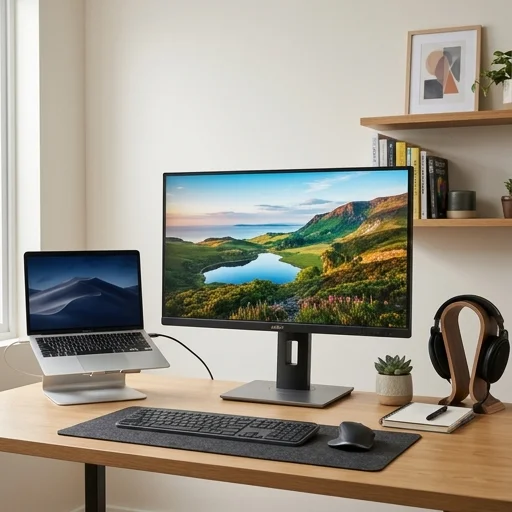
Key features
- 27-inch 4K UHD IPS panel (3840x2160)
- 100% sRGB and 100% Rec.709 color accuracy with Delta E < 2
- Factory-calibrated color with Calman Verified certification
- USB-C single-cable connectivity with 65W power delivery
- Ergonomic stand with tilt, swivel, pivot, and height adjustment
- ProArt Palette software for custom color mode calibration
- Built-in QuickCharge and multiple I/O including HDMI, DisplayPort, USB hub
Specifications
Pros
- ✓ Excellent out-of-box color accuracy for design and photo work
- ✓ USB-C connection simplifies cable clutter on a home office desk
- ✓ Sturdy, fully adjustable stand improves ergonomics for long work sessions
- ✓ 4K resolution provides sharp text and detailed multitasking space
- ✓ Slim bezels make it a good fit for dual-monitor setups
Cons
- ✕ No integrated speakers of notable quality, requires external audio
- ✕ HDR support is basic (no local dimming) compared to higher-tier ProArt models
- ✕ Stand footprint is fairly large, needs adequate desk depth
- ✕ Price premium compared to standard non-color-critical office monitors
In-Depth Review
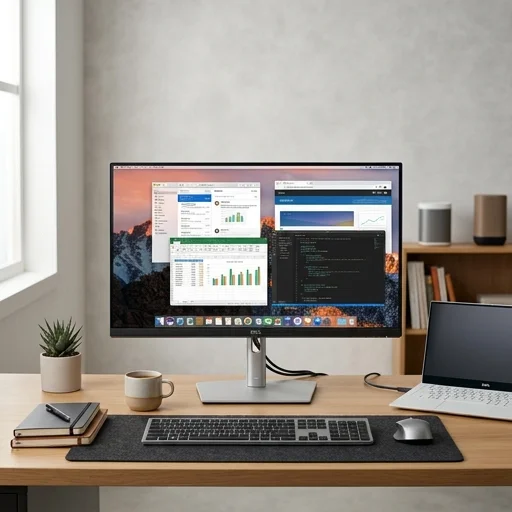
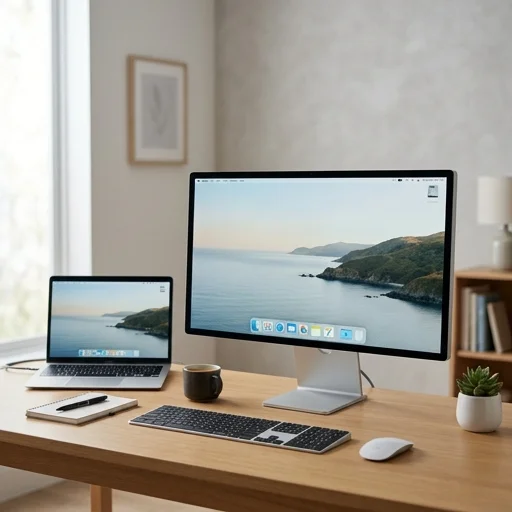
The ASUS ProArt Display brings professional-grade color performance to the modern home office, giving remote workers, designers, and content creators a screen they can genuinely trust for accurate visuals. Built around ASUS's ProArt heritage, these monitors typically feature factory-calibrated panels covering wide color gamuts such as 100% sRGB and often significant coverage of Adobe RGB or DCI-P3, complemented by Delta E color accuracy ratings under 2. This means the colors you see while editing a spreadsheet chart, reviewing a client's brand assets, or fine-tuning a photo are close to true-to-life, reducing the guesswork and repeated adjustments that plague less precise displays. For anyone whose home office doubles as a creative studio, this level of fidelity turns a spare room into a legitimate professional workspace. Beyond color science, the ProArt Display is engineered with the practical realities of long work sessions in mind. Many models incorporate ASUS's Eye Care technology, including flicker-free backlighting and blue light filtering, which helps reduce fatigue during back-to-back video calls or long stretches of document review. The panels are often IPS-based, delivering wide viewing angles so that whether you're leaning back on a call or hunched over spreadsheets, the image stays consistent. Build quality reflects a business-oriented design language: slim bezels for a clean desk aesthetic, sturdy ergonomic stands with height, tilt, swivel, and pivot adjustments, and often VESA mount compatibility for those who prefer arm-mounted setups to free up desk space in a compact home office. Connectivity on the ProArt Display is tailored to the hybrid nature of contemporary work, typically including USB-C with power delivery, HDMI, DisplayPort, and sometimes built-in USB hubs, allowing a single cable to charge a laptop while transmitting video and data. This makes it easy to dock a work laptop each morning without a tangle of cords, an especially valuable feature for anyone rotating between a home office and coworking spaces. Some models also include hardware calibration buttons and on-screen controls that let users switch between color profiles suited to different tasks, whether general productivity, video conferencing, or focused creative work. Altogether, the ASUS ProArt Display positions itself as a serious tool for home office setups that demand both visual precision and everyday usability, appealing to professionals who want their workspace to perform as reliably as an office studio.
Customer reviews
I switched to this monitor for my home office and the color accuracy is noticeably better than my old display. The USB-C hub means I only need one cable to my laptop, which keeps my desk clean.
Fantastic for spreadsheets and photo editing alike. The stand is heavy duty and adjusts easily. My only complaint is the built-in speakers are an afterthought, so I use a separate soundbar.
After long days working from home, the pivot and height adjustment have really helped my posture. Colors look great for my freelance graphic design projects too.
Connected via USB-C to my MacBook and it charges while driving the display. Exactly what I wanted for a clean, professional home office setup.