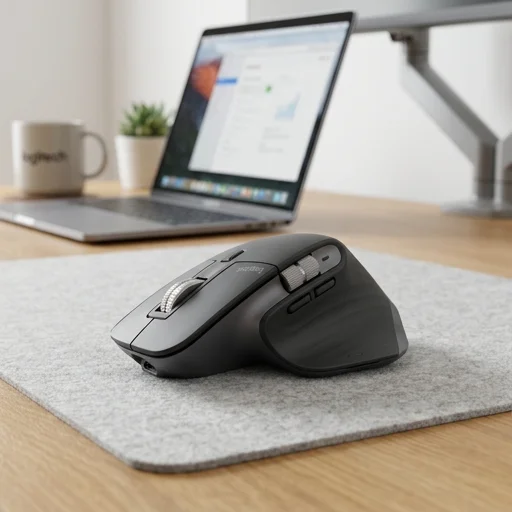
Logitech MX Master 3S Wireless Mouse
Key features
- 8000 DPI Darkfield sensor for precise tracking on virtually any surface
- Quiet Click technology reduces click noise by 90%
- MagSpeed electromagnetic scroll wheel with 1000 lines/sec scrolling
- USB-C quick charging: 3 minutes charge = 3 hours use
- Connects via Logi Bolt USB receiver or Bluetooth Low Energy to up to 3 devices
- Logitech Flow for seamless cursor and clipboard sharing across computers
- Customizable buttons via Logi Options+ software
- Ergonomic sculpted shape designed for right-handed comfort
Specifications
Pros
- ✓ Exceptionally smooth and precise scrolling wheel
- ✓ Works on glass and other tricky surfaces
- ✓ Silent clicks are great for shared office spaces
- ✓ Long battery life with fast USB-C charging
- ✓ Seamless multi-device switching with Flow
- ✓ Highly customizable buttons and gestures
Cons
- ✕ Right-hand only design excludes left-handed users
- ✕ Premium price point compared to standard mice
- ✕ Logi Options+ software can feel occasionally buggy
- ✕ Slightly heavy for users wanting an ultra-light mouse
In-Depth Review
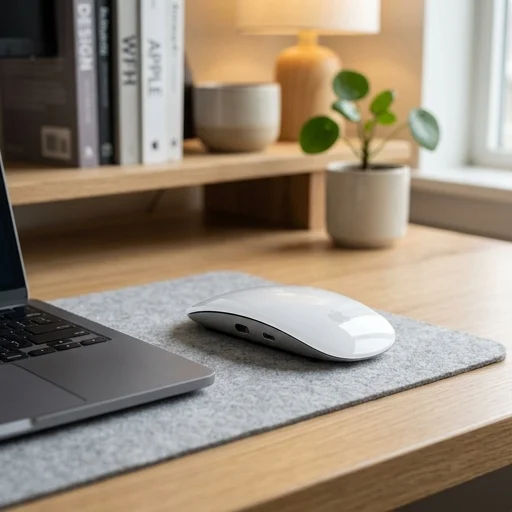
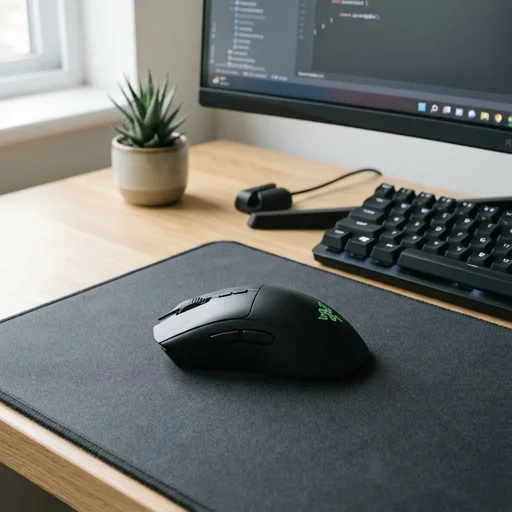
The Logitech MX Master 3S is a premium wireless mouse purpose-built for professionals who spend their days navigating spreadsheets, design software, and endless browser tabs in a home office setting. Its sculpted ergonomic shape supports the hand naturally, reducing strain during long work sessions, while the redesigned quiet clicks offer the same tactile feedback as previous models without the noise, making it ideal for shared living spaces or video calls. The 8K DPI optical sensor tracks precisely on virtually any surface, including glass, so users aren't tethered to a specific desk mat or workspace setup, a flexibility that suits the varied environments of home offices. What truly sets the MX Master 3S apart in a home office context is its MagSpeed electromagnetic scroll wheel, which shifts seamlessly between ratchet and free-spin modes depending on scrolling speed. This makes flying through long documents, financial models, or lengthy email threads feel effortless, while precise line-by-line scrolling remains available for detailed editing work. The mouse also features Logitech's Flow technology and multi-device connectivity, allowing users to control up to three computers and copy-paste text, images, or files between them with a single mouse, a feature especially useful for those managing both a personal and work laptop from the same desk. Customizable buttons, including a horizontal thumb wheel, let users assign shortcuts for the specific applications they rely on daily, further streamlining repetitive tasks common in home office workflows. Battery life is another strength suited to the demands of a home workspace, with the MX Master 3S lasting up to 70 days on a full charge, and a quick one-minute charge via USB-C providing enough power for a full three hours of use, minimizing downtime. The mouse pairs via Bluetooth Low Energy or the included USB receiver, offering flexibility depending on the setup, and works seamlessly across Windows, macOS, and Linux systems. Combined with Logitech Options+ software, which allows deep customization of gestures and app-specific settings, the MX Master 3S becomes less of an accessory and more of a productivity tool, tailored to the individual rhythms of remote and hybrid workers who depend on their home office setup functioning as efficiently as any corporate desk.
Customer reviews
Switched from a basic wireless mouse and the difference is night and day. The scroll wheel alone makes spreadsheet work so much faster, and the quiet clicks are perfect since my desk is right next to my partner's during calls.
Using Flow to move between my laptop and desktop seamlessly has saved me so much time. Battery life is excellent too, I charge it maybe once every 5-6 weeks with daily use.
My wrist pain has noticeably decreased since switching to this mouse. It's not cheap, but for something I use eight hours a day, it was worth the investment.
The hardware is superb, but Logi Options+ has crashed on me a couple times and needed a reinstall. Still, the mouse itself works great even without deep customization.
Pairs beautifully with my standing desk setup. The build quality feels premium and the precision on my glass desk surface is impressive since my old mouse couldn't handle it at all.