HP EliteDisplay Monitor
Key features
- Full HD IPS panel with wide viewing angles
- Height, tilt, swivel, and pivot adjustable stand
- Ultra-slim bezel design for multi-monitor setups
- Multiple connectivity options: DisplayPort, HDMI, VGA
- Built-in USB hub for easy peripheral connections
- Anti-glare screen coating for reduced eye strain
- VESA mount compatible for flexible installation
Specifications
Pros
- ✓ Excellent color accuracy for office and design work
- ✓ Sturdy ergonomic stand with wide adjustment range
- ✓ Slim bezels great for dual or triple monitor setups
- ✓ Energy-efficient with HP low blue light mode
- ✓ Solid build quality typical of HP business line
- ✓ Easy cable management with rear routing clips
Cons
- ✕ No built-in speakers on most models
- ✕ Limited to 60Hz refresh rate, not ideal for gaming
- ✕ Stand takes up notable desk depth
- ✕ Only Full HD resolution on base models, no 4K option
- ✕ USB hub ports are limited in number
In-Depth Review
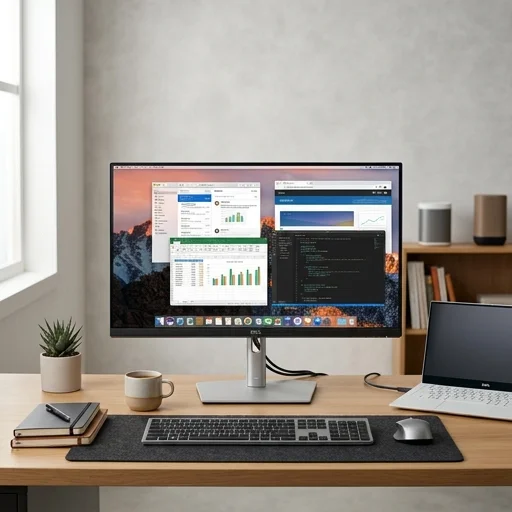
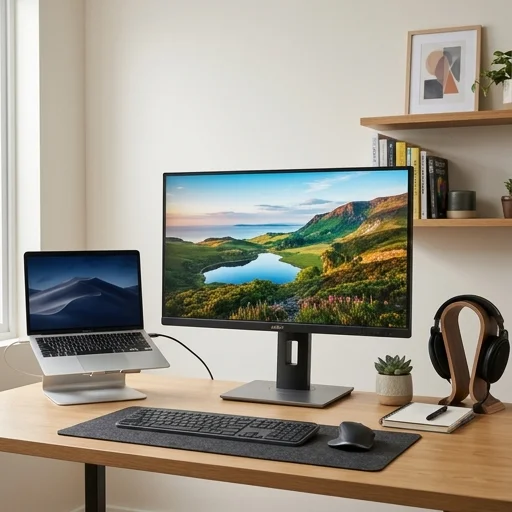
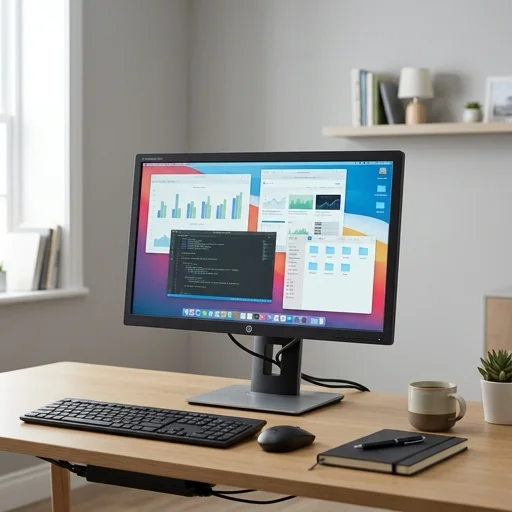
The HP EliteDisplay monitor is engineered for professionals who demand reliability and clarity in their everyday workspace. Designed as part of HP's business-class display lineup, it brings crisp resolution, accurate color reproduction, and consistent brightness to tasks ranging from spreadsheet analysis to video conferencing. Its slim bezels and understated silver-and-black aesthetic make it a natural fit for a modern home office, blending seamlessly with minimalist desk setups while still projecting a professional, corporate-grade presence. Whether used for long hours of document review or detailed design work, the panel maintains a steady, fatigue-reducing image quality that supports sustained productivity. Beyond visual performance, the HP EliteDisplay monitor is built with ergonomics in mind, featuring an adjustable stand that allows for tilt, height, and often swivel or pivot functionality. This flexibility means remote workers and telecommuters can quickly customize their viewing angle to reduce neck and eye strain, an essential consideration for anyone spending a full workday in front of a screen. The stand's stability also ensures the display remains steady during typing or when adjustments are made throughout the day, reinforcing the monitor's role as a dependable centerpiece of a well-organized home office. Cable management channels built into the stand further contribute to a clean, clutter-free desk, helping remote professionals maintain an organized and distraction-free environment. Connectivity on the HP EliteDisplay monitor is tailored to the realities of hybrid work, typically offering a mix of DisplayPort, HDMI, and VGA inputs alongside USB hub functionality on select models. This versatility allows users to easily connect laptops, docking stations, and peripherals without needing extra adapters, streamlining the transition between conference calls, presentations, and focused solo work. Energy-efficient design and HP's emphasis on durability mean the monitor is well suited for the long-term demands of a home office, where consistent uptime and low maintenance are valued. Altogether, the HP EliteDisplay monitor stands as a practical, business-grade choice for anyone building a dependable, comfortable, and efficient home office setup.
Customer reviews
The adjustability is fantastic, and the screen looks crisp for spreadsheets and documents. Highly recommend for remote work.
Solid build and good color reproduction. Wish it had slightly better speakers, but overall very satisfied.
Been using it for months now, no flickering or issues. The stand adjustments make it easy to find the right ergonomic position.
I paired two of these for a dual monitor setup and the bezels are thin enough that it feels seamless. Great for productivity.