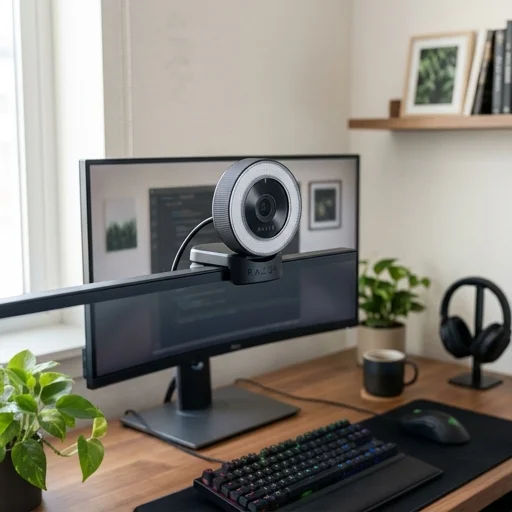
Razer Kiyo Webcam
Key features
- Built-in adjustable ring light for even facial illumination
- 720p at 60fps and 1080p at 30fps video capture
- Autofocus for clearer close-up framing
- Plug-and-play USB connectivity for quick setup
- Compact foldable design for desk-mounted home office use
Specifications
Pros
- ✓ Integrated lighting reduces the need for separate desk lamps
- ✓ Simple setup works well for video calls and streaming
- ✓ Good image clarity for a compact webcam
- ✓ Adjustable brightness helps in varied room lighting
Cons
- ✕ Microphone quality is only average compared with dedicated audio gear
- ✕ Can look a bit soft in lower-light environments without the ring light
- ✕ No advanced software features for professional camera tuning
- ✕ Cable-only setup may feel less flexible than wireless alternatives
In-Depth Review
The Razer Kiyo webcam brings genuine studio-quality polish to the home office, thanks to its standout feature: a built-in ring light that wraps directly around the lens. This isn't a gimmick—it solves the perennial problem of harsh overhead lighting or dim rooms making video calls look washed out or shadowy. With adjustable brightness settings, you can dial in the perfect glow for early morning stand-ups or late evening client calls, ensuring your face is always clearly lit without needing extra lamps or complicated setups cluttering your desk. Beyond the lighting, the Kiyo delivers solid 1080p video at 30fps, or 720p at 60fps if you need smoother motion for screen-heavy presentations or more dynamic video content. The autofocus keeps you sharp even if you shift positions during a long meeting, and the color reproduction is tuned to look natural on skin tones rather than oversaturated or artificially cool. For anyone spending hours on Zoom, Teams, or Google Meet, this translates to a more professional, polished appearance without requiring a background in videography or a separate lighting rig taking up desk real estate. Setup is refreshingly simple: it connects via USB and is plug-and-play compatible with major platforms, with Razer's software allowing minor tweaks to exposure, contrast, and the ring light intensity if you want more granular control. The adjustable clip mounts securely to most monitor tops, and the compact footprint means it won't dominate your desk setup the way bulkier camera rigs might. For remote workers, freelancers, or hybrid employees who care about how they present themselves on camera every day, the Razer Kiyo offers a practical, self-contained solution that elevates video call quality without adding complexity to an already busy home office routine.
Customer reviews
The built-in light makes a noticeable difference on calls, and setup took only a few minutes. It fits my desk well and keeps me looking clear even in the evening.
Video quality is solid for Zoom and Teams, and I like not having to manage a separate lamp. The autofocus works well, though the mic is just okay.
This webcam is convenient and the lighting helps a lot in my workspace. I wish it had a few more image controls, but for remote work it does the job nicely.